CRM Automation: Examples and a Workflow That Follows Up
Most leads are lost not because of price, but because follow-up was slow or forgotten. CRM automation fixes that.
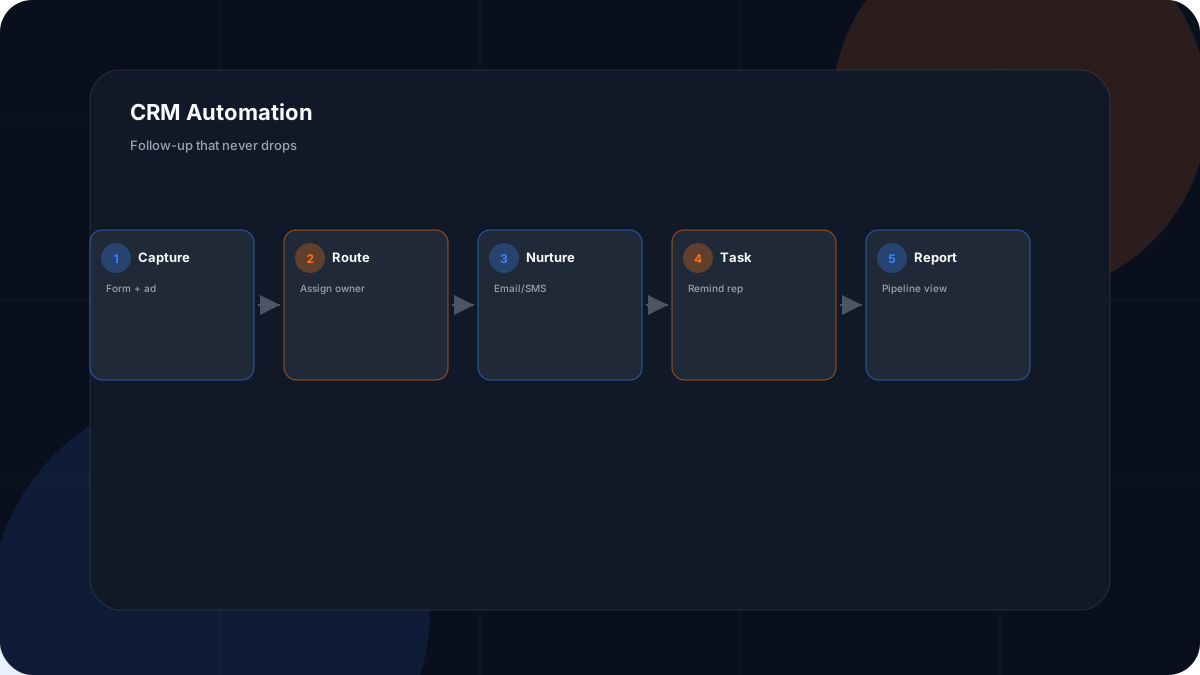
The fastest way to lose a lead is to respond late. A CRM with automation turns “I'll follow up later” into a system that responds now and reminds you forever. This article gives concrete examples and a workflow you can copy.
Quick answer
CRM automation handles capture, routing, nurture, and reminders automatically. Start with instant acknowledgment and a timed follow-up sequence; add tasks for stale leads. The goal is consistent follow-up without manual effort.
Concrete CRM Automation Examples
- New form lead → tagged, assigned, welcome email sent.
- No reply in 3 days → reminder task created for owner.
- Proposal sent → calendar reminder to check in.
- Deal closed → moved to nurture + review request.
- Stale lead → re-engagement email after 60 days.
A Follow-Up Workflow You Can Copy
Trigger: new lead created. Step 1: send acknowledgment. Step 2: assign owner by service area. Step 3: schedule a value email at day 1. Step 4: if no activity by day 3, create a call task. Step 5: move to nurture after 14 days. This is expanded in the CRM and AI Automation Guide.
Where AI Fits
AI can draft the follow-up messages and summarize lead context before a call, but the workflow logic — who gets what, when — stays rules-based and human-reviewed. Combining the two is what the AI automation services deliver.
CRM Automation Checklist
Frequently Asked Questions
What is CRM automation?
CRM automation is using your customer relationship manager to handle repetitive relationship tasks automatically — capturing leads, assigning owners, sending follow-ups, creating reminders, and updating records — so nothing falls through the cracks.
What are CRM automation examples?
Examples: a new form lead is tagged and assigned; a welcome email sends instantly; if no reply in three days, a reminder task is created; closed deals move to a nurture sequence; stale leads get re-engagement emails. All without manual data entry.
How do I automate lead follow-up?
Connect your form or ad to the CRM, set a trigger on new lead, then build a sequence: immediate acknowledgment, a value email, and timed reminders to the owner. Add a rule that creates a task if the lead goes quiet.
What is CRM workflow automation?
It is the sequence of automated steps tied to a trigger — for example, 'when deal stage changes to proposal, notify owner and schedule a follow-up.' Workflows remove the manual juggling between stages.
Which CRM is best for automation?
The best CRM is the one your team will actually use and that connects to your email and calendar. Popular small-business options include HubSpot, Pipedrive, and Zoho. Prioritize native automation and integration over feature lists.
Can CRM automation work for a solo business?
Yes. Even one person benefits from instant responses and reminders. Automation makes a solo operator look and act like a larger, reliable team.
Does CRM automation replace a salesperson?
No. It handles the administrative follow-up so the person focuses on conversation and closing. It ensures consistency; it does not replace relationships.
How much does CRM automation cost?
Many CRMs have free or low-cost tiers; automation add-ons or integrations add cost. Calculate ROI from missed leads recovered and admin time saved.
What should I automate first in my CRM?
Lead capture and the first follow-up. Those are highest frequency and highest risk when done late or not at all. Then add reminders and pipeline reporting.
Is CRM automation safe for customer data?
Yes if you use reputable tools, limit access, and follow privacy law. Keep sensitive data minimized and review what the automation can touch.
How do I measure CRM automation success?
Track follow-up speed, lead response rate, pipeline velocity, and lead-to-customer rate before and after. Faster, more consistent follow-up is the clearest win.
Get the Free Master Lead Generator Website Blueprint
CRM automation only works if leads reach it. The free Blueprint PDF shows how to build the website and forms that feed your CRM — and the follow-up flow that converts. Download it to connect the system.
Related Resources
Conclusion
CRM automation turns good intentions into reliable follow-up. Automate capture and the first response, then build the workflow that keeps leads moving. Pair it with a website that feeds the CRM, and download the free Blueprint PDF to see the whole system.