Website Design for Mechanical Companies in Calgary: What to Put on the Page
Mechanical company websites need to explain capabilities, industries served, project credibility, maintenance options, and quote pathways quickly.
A practical page-by-page website framework for Calgary mechanical companies that need clearer capabilities, stronger project proof, and better commercial quote requests.
Mechanical buyers need clarity before they inquire
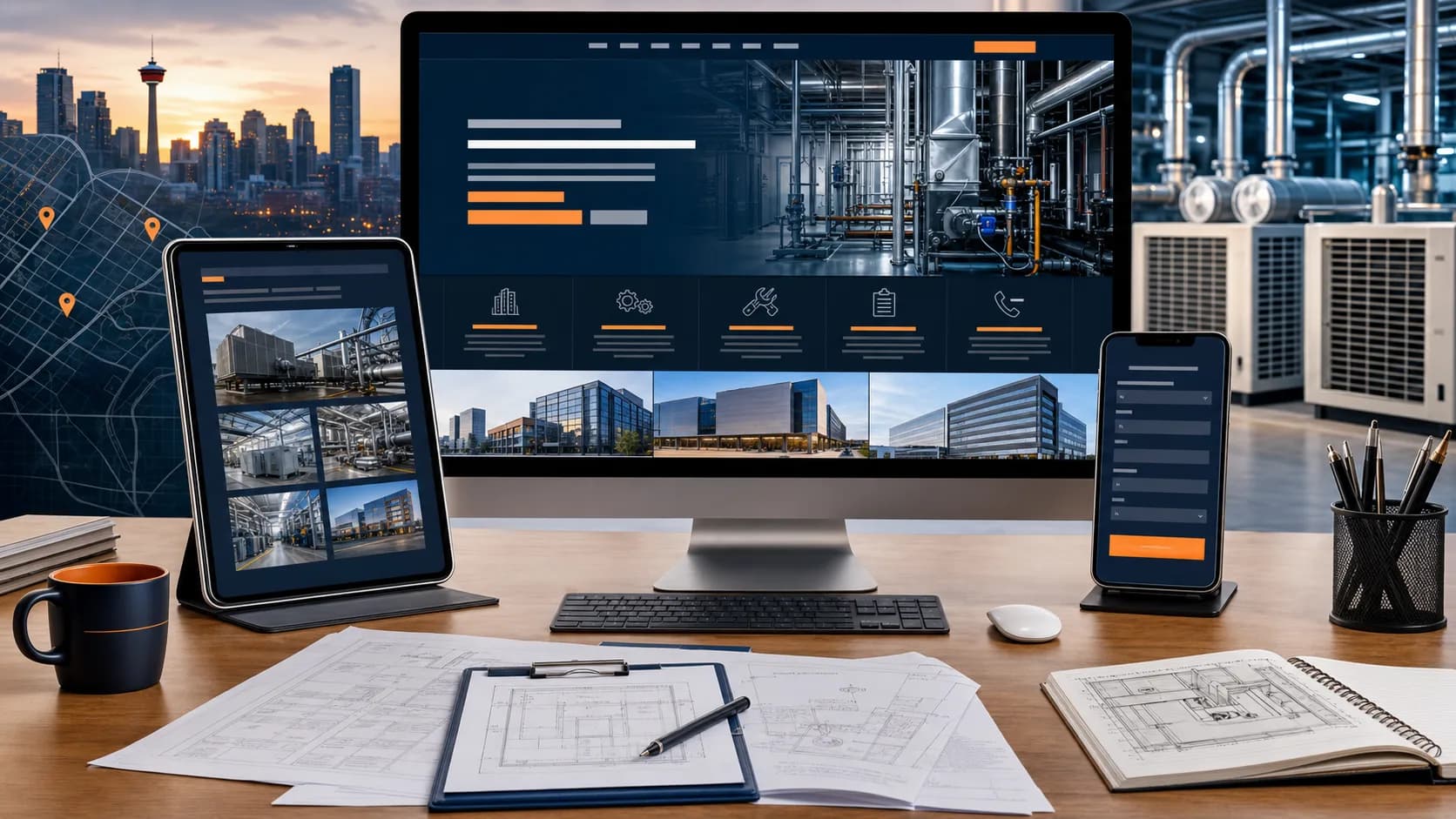
Mechanical companies often serve commercial, industrial, institutional, multi-family, or specialized projects. A buyer may be a property manager, facility lead, general contractor, restaurant owner, developer, operations manager, or business owner trying to solve a building problem. They are not just looking for a nice design. They are trying to understand whether your team can handle their type of work and whether it is worth starting a conversation.
A generic contractor website can make that decision harder. If the homepage says “quality mechanical solutions” but does not explain services, industries, service areas, maintenance support, project experience, or quote process, the visitor has to guess. Many buyers will not guess. They will go back to search results and compare the next company.
Good website design for mechanical companies in Calgary starts with clarity. The page should quickly answer what you do, where you work, who you serve, what proof you can show, and what the visitor should do next. That does not guarantee leads, but it removes avoidable friction from qualified commercial inquiries.
Show capabilities in a scannable way
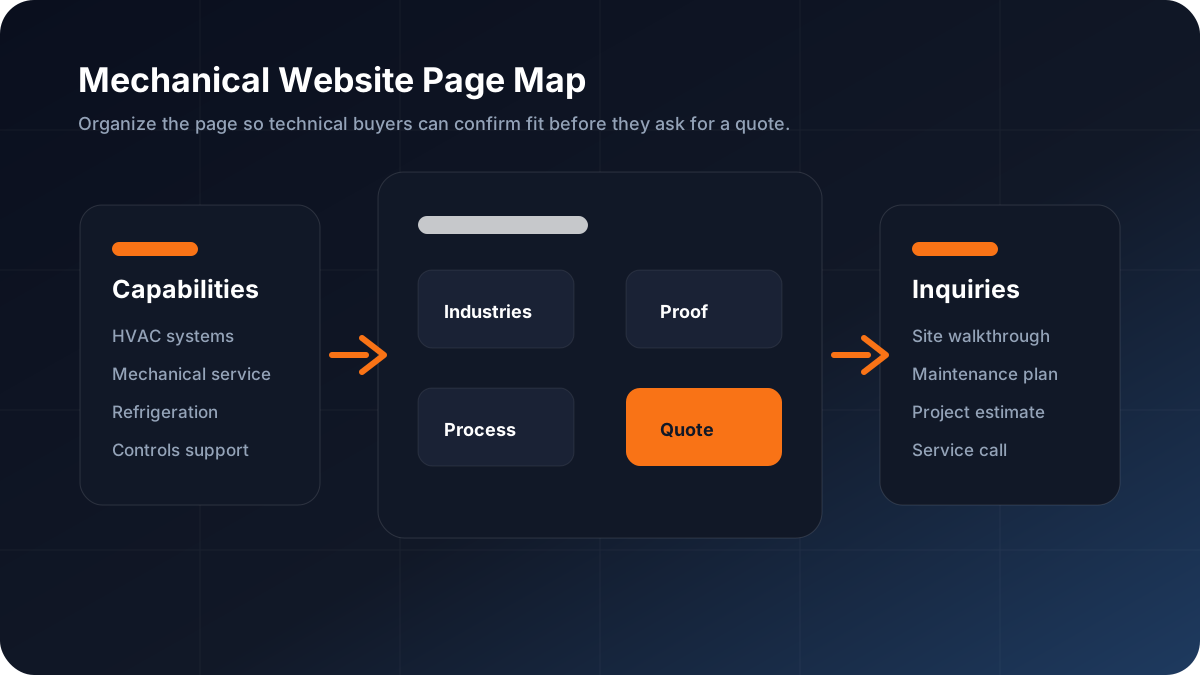
Mechanical work can be broad, and broad service lists are easy to make unreadable. Many websites bury important capabilities inside long paragraphs. A better page breaks capabilities into sections that match how buyers scan: service, maintenance, installations, retrofits, refrigeration, controls, building systems, or commercial project support.
Do not make visitors interpret jargon without context. If you offer mechanical maintenance, explain who it is for and what the next step looks like. If you support tenant improvements, say what kind of buildings or project teams you work with. If you do refrigeration or controls, give those topics enough space that a buyer can confirm fit.
The goal is not to list every possible task. The goal is to make your core revenue-driving work easy to understand and easy to request.
- HVAC systems
- Mechanical maintenance
- Commercial refrigeration
- Controls or building systems
- Tenant improvements
- Commercial and industrial service areas
Separate industries served from services offered
Services and industries are related, but they are not the same thing. A service section explains what your team does. An industries section explains where that work applies. Mechanical buyers often want both because they need to know whether your experience fits their building or project type.
A Calgary mechanical contractor might serve offices, retail spaces, restaurants, warehouses, light industrial buildings, multi-family properties, clinics, schools, or commercial renovations. Naming those areas helps visitors self-qualify. It also helps your page avoid sounding like a generic mechanical company template that could be copied into any city.
If you cannot publicly name clients or projects, use anonymous examples. A line such as “mechanical support for a Calgary restaurant tenant improvement” or “maintenance work for multi-tenant commercial space” gives buyers more useful context than vague claims about experience.
Use project proof to build confidence
Commercial buyers want evidence before they send details about a building, system, or project. Add project photos where appropriate, recognizable project types, short case summaries, review snippets, safety or certification details, and clear company information. Proof should make the company feel operationally real, not just visually polished.
Project proof does not need to be complicated. A small section with three examples can work well: the building type, the mechanical need, and the outcome or role your team played. If privacy limits what you can share, keep the project anonymous and focus on the type of work.
Place proof near decision points. If a visitor sees capabilities, then proof, then a relevant quote button, the page creates a logical path. If proof is hidden on a separate gallery page, many visitors will never see it before deciding whether to contact you.
Make local SEO useful, not robotic
Local SEO for mechanical companies should help buyers understand service area and fit. Mention Calgary naturally, include nearby service areas only if they are accurate, and explain what kinds of local commercial work you want more of. Do not repeat the same keyword in every heading.
Useful local content can cover common project types, building categories, maintenance needs, response expectations, and what information helps with a quote. That gives search engines more context and gives human visitors a better page.
Internal links also matter. A mechanical company page can link to related content such as HVAC SEO Calgary, Commercial HVAC Companies Calgary, and Website Design for Contractors. These links help visitors keep moving and help search engines understand the relationship between topics.
Make the next step specific
Buttons like Contact Us are fine, but stronger CTAs match the buyer’s intent. A mechanical buyer may want to request a commercial quote, book a site walkthrough, ask about maintenance, discuss a tenant improvement, or talk through a project timeline. The CTA should make that path feel direct.
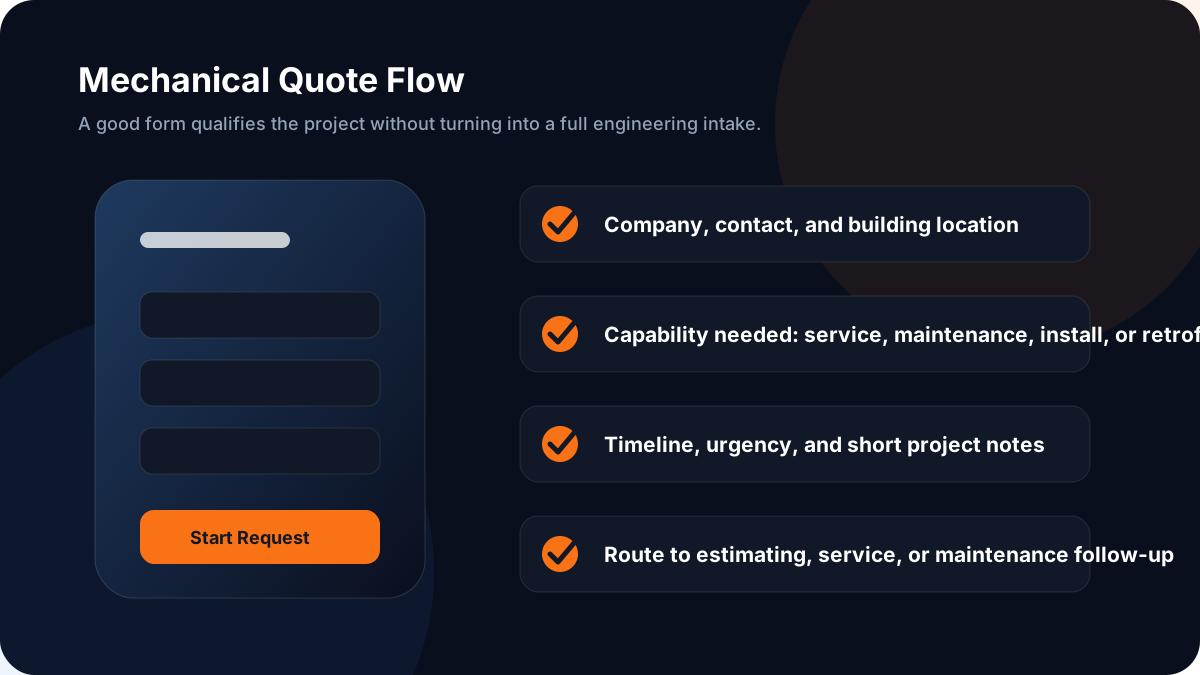
The quote form should collect enough information for a useful first response without turning into a long technical questionnaire. Ask for name, company, phone or email, location, service type, timeline, and a short message. Optional fields can capture building type, equipment details, or files, but those should not block the first inquiry.
If emergency support is offered, separate urgent calls from general quote requests. A visitor with an urgent building issue should not wonder whether a form is the fastest path.
Design the first screen for fast qualification
The first screen should identify the business clearly: mechanical company, Calgary service area, commercial or industrial focus where accurate, and primary next step. Avoid vague hero headlines that could describe any contractor. “Mechanical Contractor in Calgary for Commercial Service and Projects” is clearer than “Built on Quality.”
Add one short supporting line that names capabilities and buyer types. Then include one primary CTA and one secondary option, such as a phone link. The first screen does not need to explain everything. It needs to give the right visitor confidence that they landed in the right place.
Images should support the message. Mechanical rooms, rooftop units, commercial buildings, project teams, or clean equipment photos are stronger than generic stock images. Compress them so they do not slow down mobile visitors.
Do not make maintenance an afterthought
For many mechanical companies, maintenance is not a minor service. It can be recurring, relationship-based, and highly valuable. If maintenance matters to the business, give it a real section or page that explains who it is for, what the conversation includes, and how a property team can get started.
A maintenance section can mention scheduled service, inspections, seasonal preparation, documentation, and reduced surprise breakdowns without overpromising. Keep the language practical. Property teams want fewer headaches, clearer communication, and a contractor that can be reached when equipment matters.
The CTA should match the offer. “Ask About Maintenance Plans” or “Book a Maintenance Review” is more useful than a generic button when the visitor is considering ongoing service rather than a one-time project.
Connect the homepage to the right service path
Many visitors will not enter through the perfect landing page. They may arrive from a referral, a branded search, a truck decal, a Google Business Profile, or a direct link to the homepage. If mechanical work is important, the homepage should route those visitors clearly.
Use a visible services block that links to mechanical capabilities, maintenance, commercial HVAC, refrigeration, and contact. Keep the labels plain. A visitor should not have to open three dropdown menus to find the service that matches their building or project.
This simple navigation work supports every channel. It helps organic visitors, referral traffic, sales follow-up, and paid campaigns because the site becomes easier to move through once someone lands anywhere on it.
Check mobile, speed, and contact flow before ads
Before sending paid traffic to a mechanical company website, check the basics. The page should load quickly, the text should be readable on mobile, buttons should be easy to tap, and the phone number or form should be obvious. A slow or confusing page can waste ad spend before the offer gets a fair chance.
Mobile matters because commercial buyers are not always sitting at a desk. They may be between job sites, walking a building, reviewing a referral, or searching from a phone. The site has to work in that moment.
Wade Digital's free Website Leak Report is built for this kind of review. It looks for practical lead leaks in messaging, mobile layout, page speed, trust sections, and contact flow so you know what to fix before rebuilding or increasing traffic.
Start with one strong mechanical services page
The first move does not have to be a massive website rebuild. Start with one strong mechanical services page that explains capabilities, industries served, proof, service area, and a clear quote path. Once that page is useful, build supporting pages for maintenance, HVAC systems, refrigeration, controls, tenant improvements, or commercial service.
A strong page also gives your sales process a better destination. You can send it after referrals, include it in follow-up emails, use it for local SEO, and connect it to ads later. It becomes a practical business asset, not just a brochure.
If your current website does not clearly explain what your mechanical company does or why a commercial buyer should trust it, fix that first. Clarity is often the cheapest conversion improvement available.
Related Resources
Check out these related resources for more information:
Website Checklist
Frequently Asked Questions
What should a mechanical company website include?
It should include clear capabilities, industries served, service area, project proof, maintenance options, mobile-friendly contact paths, and a quote form that collects enough information for useful follow-up.
Should mechanical companies have separate pages for services?
Usually yes. A main mechanical services page can introduce the company, while supporting pages for maintenance, HVAC systems, refrigeration, controls, or tenant improvements help visitors find the exact service they need.
What CTA works best for mechanical contractor websites?
Specific CTAs usually work better than generic ones. Examples include Request a Commercial Quote, Book a Site Walkthrough, Ask About Maintenance Plans, or Call for Mechanical Service.
Can a better website guarantee more mechanical contractor leads?
No. Wade Digital does not guarantee rankings, traffic, revenue, or a specific number of leads. A better website can improve clarity, speed, trust, and contact flow, but results depend on market demand, competition, offer, traffic quality, and follow-up.
Want to Know What Is Holding Your Website Back?
Get a free revenue review. We'll analyze your website and give you a clear list of what to fix to get more calls, form submissions, and booked jobs.
Get a Free Revenue ReviewWant to Know What Is Holding Your Website Back?
Get a free revenue review. We'll analyze your website and give you a clear list of what to fix to get more calls, form submissions, and booked jobs.
Related Resources
How Many Pages Does a Local Business Website Need
Discover how many pages your local business website needs. From homepage to service pages, location pages, blog, and resources — the right page count for growth.
Commercial Service Page Examples: What Makes Them Convert
Analyze commercial service page examples that convert. Learn the structure, trust signals, CTAs, and content elements that turn visitors into paying customers.
The Complete SEO Website Checklist for Local Businesses
Use this comprehensive SEO checklist to audit and optimize your local business website. Covers on-page, technical, local SEO, AI search, and conversion elements.