Google Maps Prospecting for Web Designers: A Fast Outreach Method
Step-by-step guide to using Google Maps to find web design prospects, identify website leaks, and secure high-value clients.
Learn how to use Google Maps as a lead generation engine to prospect local businesses that need web design, SEO, and optimization.
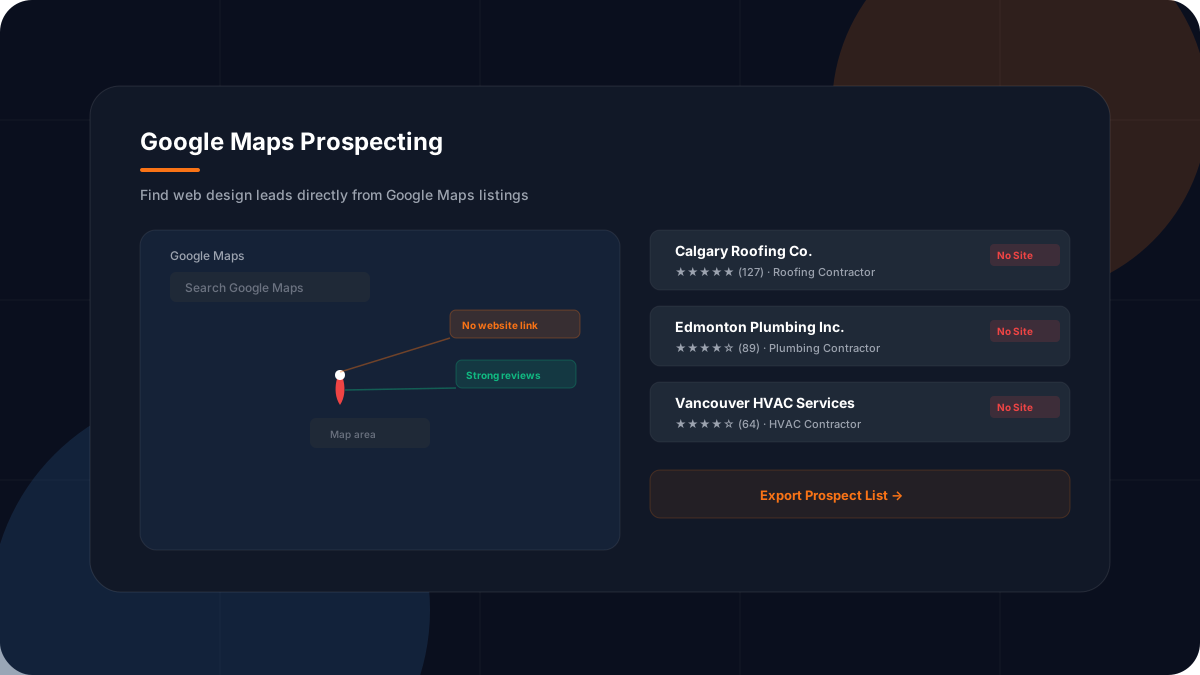
Why Google Maps is the ultimate prospecting database
Google Maps displays the active local businesses that are actively trying to get found in your target area. If a business is on Maps but lacks a website link, they are actively leaking leads. Wade Digital's AI visibility audit helps identify these gaps across local search profiles.
Web designers can use this data to quickly build a list of local service businesses that need a simple 3-page site or speed optimizations. For a contractor website blueprint, see https://sitebuildhub.com for practical templates.
Related Resources
Check out these related resources for more information:
- Best Web Design Leads for Agencies
- Contractor Lead Generation Tools
- Website Design for Contractors
- Free Website Lead Audit
- Google Business Profile Help — support.google.com/business
Frequently Asked Questions
How do I automate Google Maps prospecting?
You can use the Contractor Lead Scraper tool to search by city and niche, then review public business profiles that appear to lack an owned website.
Want to Know What Is Holding Your Website Back?
Get a free revenue review. We'll analyze your website and give you a clear list of what to fix to get more calls, form submissions, and booked jobs.
Get a Free Revenue ReviewWant to Know What Is Holding Your Website Back?
Get a free revenue review. We'll analyze your website and give you a clear list of what to fix to get more calls, form submissions, and booked jobs.
Related Resources
HVAC Lead Generation Using Google Maps: The Modern Prospecting Playbook
How to use Google Maps to generate high-value HVAC contractor leads. Target service businesses that are missing conversion tools.
How Many Pages Does a Local Business Website Need
Discover how many pages your local business website needs. From homepage to service pages, location pages, blog, and resources — the right page count for growth.
Commercial Service Page Examples: What Makes Them Convert
Analyze commercial service page examples that convert. Learn the structure, trust signals, CTAs, and content elements that turn visitors into paying customers.